 Photo editing
Nano Banana 2.1
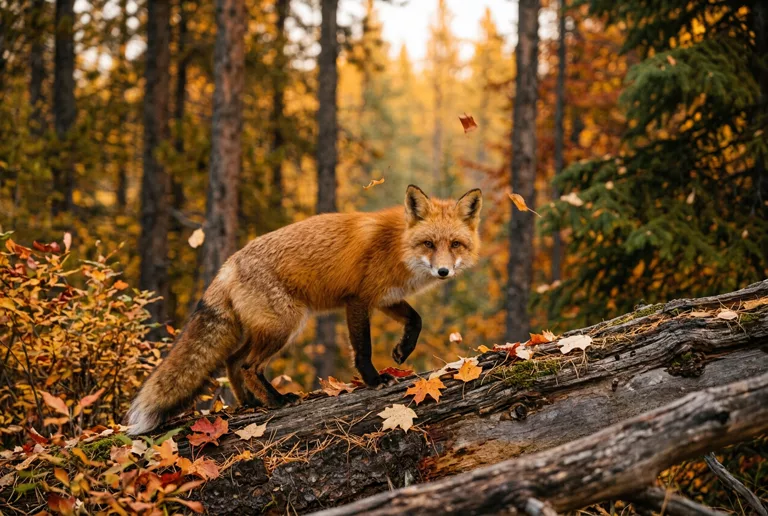
Change a photo’s season
Turn the source winter scene into autumn while asking the model to keep the animal, pose, and camera angle.
1 reference image
Shift apparent camera focus to a different depth plane in an existing photo while keeping the composition, lighting, and subject positions unchanged.
Use this prompt when a photograph already has the right composition but the viewer's attention should move to another depth. It is useful for flower-and-portrait scenes, foreground details, or product arrangements with several focal planes. Name the target precisely and keep the lighting and subject positions unchanged for a controlled comparison.
Shift the apparent focus to [FOCUS_TARGET] in this photograph. Render that subject clearly, while softening objects at other depths with natural lens-like blur. Keep positions, expressions, colors, framing and light unchanged. Preserve clean boundaries around fine stems, hair and translucent edges. Let blur increase gradually with distance from the focused plane. Return one photograph with an understated, believable depth-of-field effect.
Copy the prompt first, then upload the required reference image and paste the prompt into Gemini to start an image-editing chat. This link opens Gemini; it does not prefill or generate an image.
See what each instruction controls, then adjust the parts that matter to your image.
Shift the apparent focus to [FOCUS_TARGET] in this photograph.
Identifies the object or person whose detail should become the main point of attention.
softening objects at other depths with natural lens-like blur
Relates blur to depth rather than applying the same softening to the whole photograph.
Keep positions, expressions, colors, framing and light unchanged.
Separates the focus adjustment from changes to the scene's content or treatment.
Preserve clean boundaries around fine stems, hair and translucent edges.
Highlights the detailed edges where blur transitions need careful inspection.
Let blur increase gradually with distance from the focused plane.
Requests a continuous change in sharpness between nearby and distant planes.
Upload a photo containing subjects at different depths.
Replace the bracketed fields with the details for your case.
Upload a photo containing subjects at different depths.
Paste the complete prompt into your image tool, then review the result against your goal.
Photo editingTurn the source winter scene into autumn while asking the model to keep the animal, pose, and camera angle.
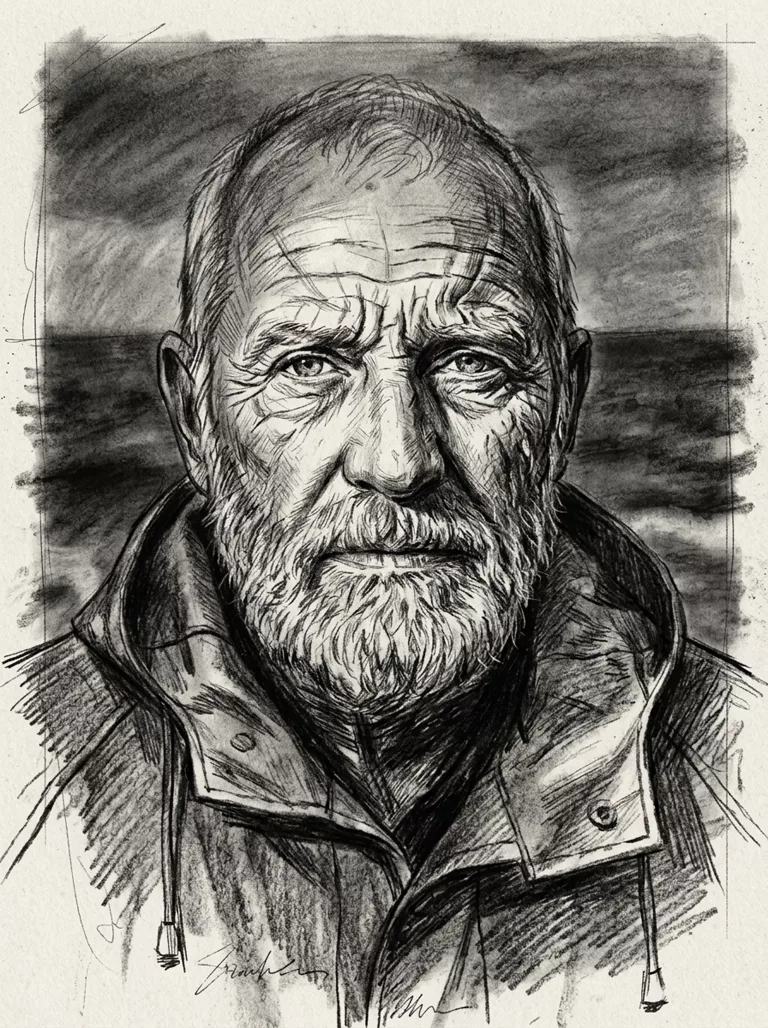 Photo editing
Convert the source portrait into a textured charcoal drawing while retaining its pose and expression.
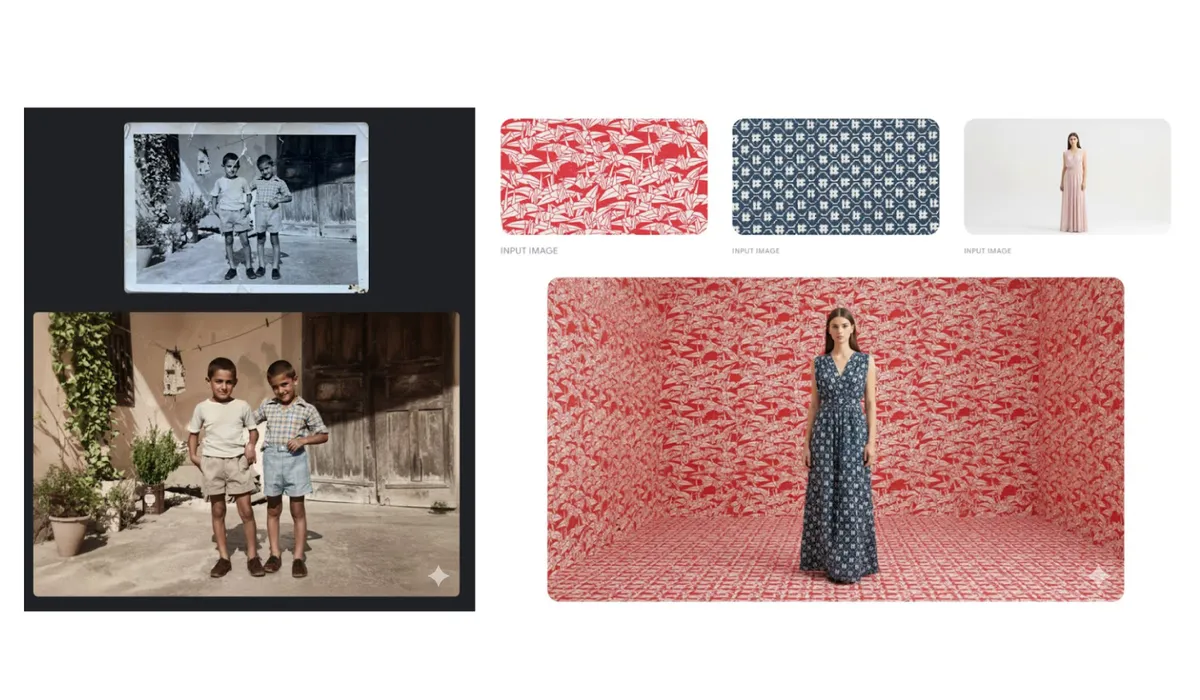 Photo editing
Repair damage in a scanned old photograph and add restrained, plausible color while preserving people, period details, and original framing.