 Photo editing
Nano Banana Pro
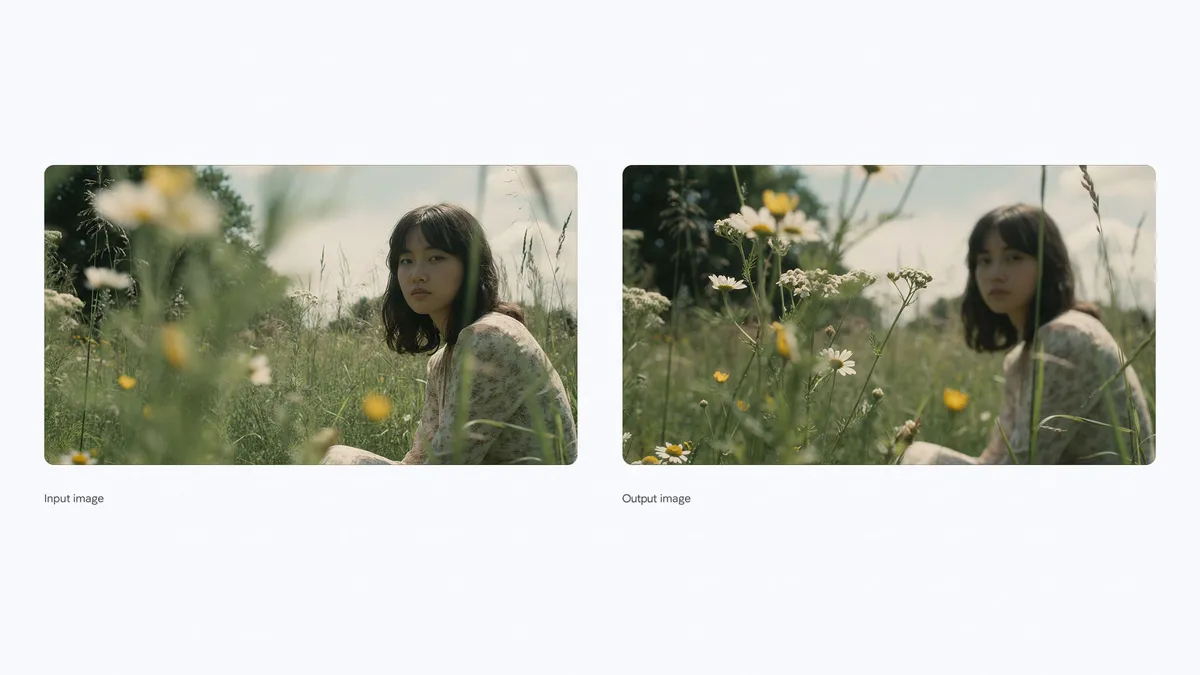
Move Focus to a Different Subject
Shift apparent camera focus to a different depth plane in an existing photo while keeping the composition, lighting, and subject positions unchanged.
1 reference image
Translate or localize visible text on an existing package photograph while preserving container shape, surface curvature, lighting, and label hierarchy.
Use this prompt to explore a translated or regional version of an existing package while keeping its shape and visual identity. It works from a sharp packaging photograph and the exact wording you supply. The label areas, surface curvature, and text hierarchy remain the layout reference for the replacement copy.
Localize the visible packaging text into [LANGUAGE], using [APPROVED_TEXT] where supplied. Keep the container geometry, materials, artwork, brand marks, light and camera view. Replace words within their existing label areas, matching typographic weight and hierarchy. Make lettering follow curved surfaces and perspective. Preserve numbers and units unless explicitly replaced. Return one edited photograph without extra captions or invented claims.
Copy the prompt first, then upload the required reference image and paste the prompt into Gemini to start an image-editing chat. This link opens Gemini; it does not prefill or generate an image.
See what each instruction controls, then adjust the parts that matter to your image.
into [LANGUAGE], using [APPROVED_TEXT] where supplied
Separates the target language from the exact replacement wording provided for the product.
Keep the container geometry, materials, artwork, brand marks, light and camera view.
Restricts the change to text rather than redesigning the package or photograph.
Replace words within their existing label areas, matching typographic weight and hierarchy.
Keeps replacement text inside the original design's layout and emphasis.
Make lettering follow curved surfaces and perspective.
Requests that text follow the container's visible shape instead of appearing as a flat overlay.
Preserve numbers and units unless explicitly replaced.
Keeps quantities and measurement units separate from automatic language changes.
Upload sharp packaging photography and approved wording.
Replace the bracketed fields with the details for your case.
Upload sharp packaging photography and approved wording.
Paste the complete prompt into your image tool, then review the result against your goal.
Photo editingShift apparent camera focus to a different depth plane in an existing photo while keeping the composition, lighting, and subject positions unchanged.
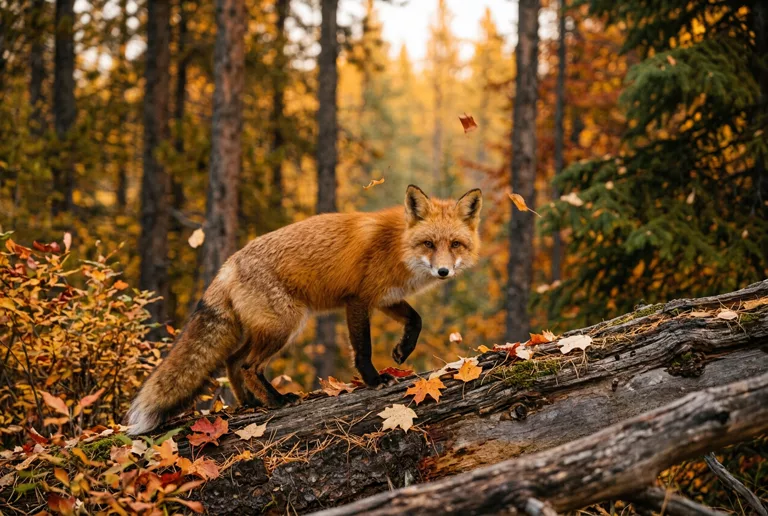 Photo editing
Turn the source winter scene into autumn while asking the model to keep the animal, pose, and camera angle.
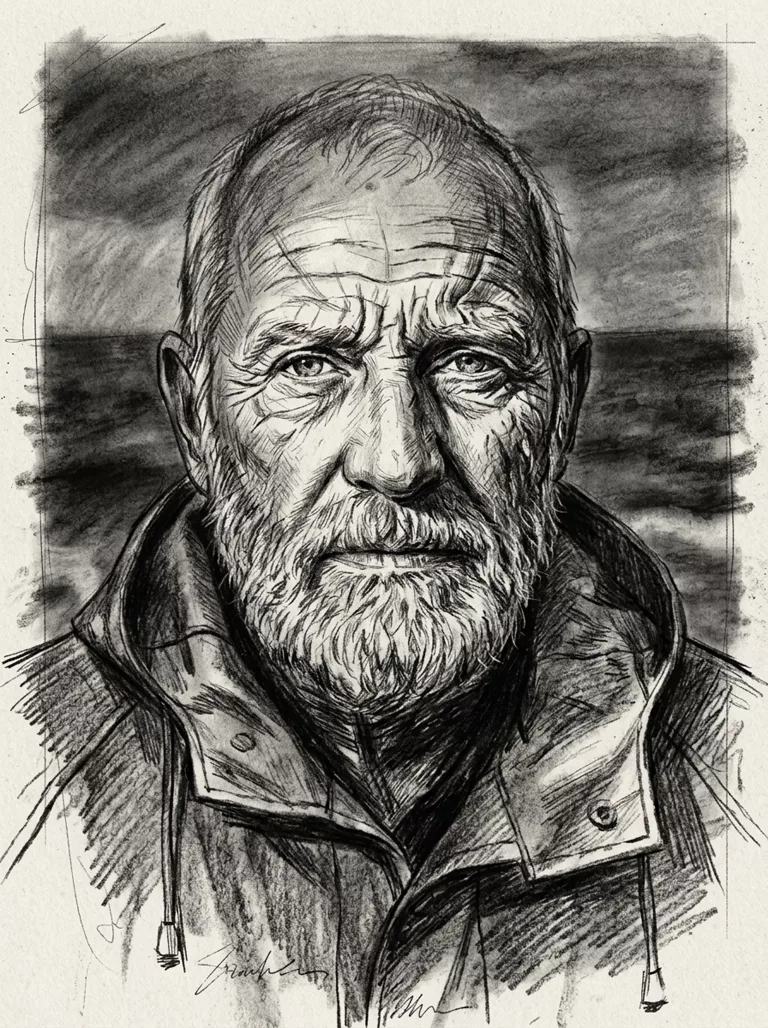 Photo editing
Convert the source portrait into a textured charcoal drawing while retaining its pose and expression.